 English
 Español
 Tiếng Việt
 Deutsch
 Français
 Português
 Polski
 Nederlands
 Italiano
 Svenska
 Norsk
 Dansk
 Suomi
 Čeština
 हिन्दी
 العربية
Give the client its own login. In the TimeGO web dashboard you create a client login, pick the locations it may see, and the client opens a read-only schedule for those sites. If you allow it, the same login also shows form results, checkpoint scans and GPS tracking. “Did anyone come last night?” becomes something the client can answer at 7 AM without waiting for you to call back.
The call that eats your morning
Clients pay for work they almost never see. The cleaners come after the office empties, the guard walks the lot at 3 AM, the crew mows while the property manager sits in a budget meeting. So the client asks you. You text the crew lead, wait, and call the client back.
Each of those calls is short. Together they eat a morning. Worse, every one of them starts with the client not quite sure, and a client who is never quite sure is a client who takes your competitor’s lunch meeting.
A login does not make the work better. It makes the work visible on the client’s schedule instead of yours, and a client who can check at any hour has less reason to call you at 7:30.
What the client sees
By default, a client login shows one thing: a read-only schedule of the shifts at the locations you picked. The client cannot change anything.
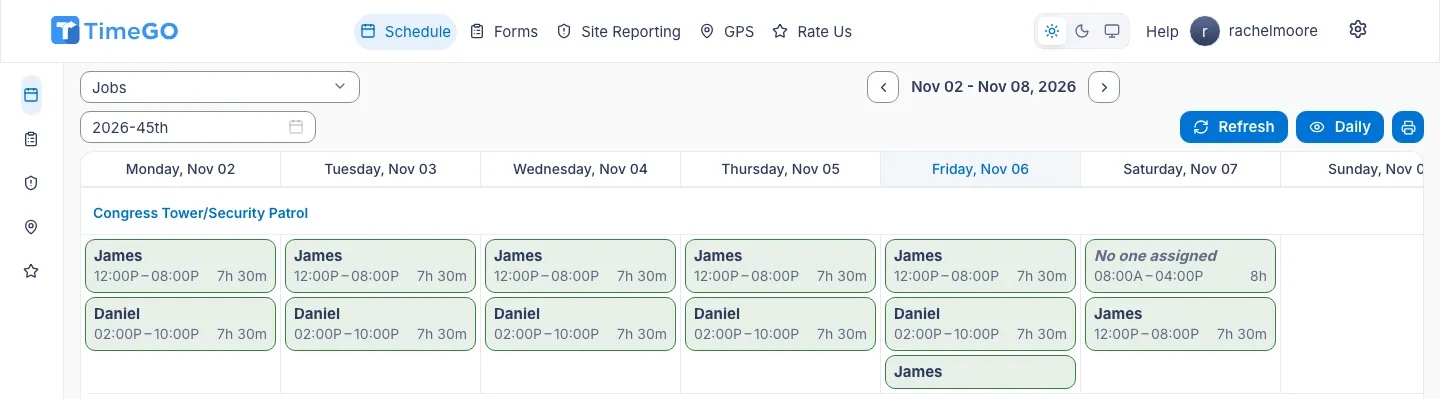
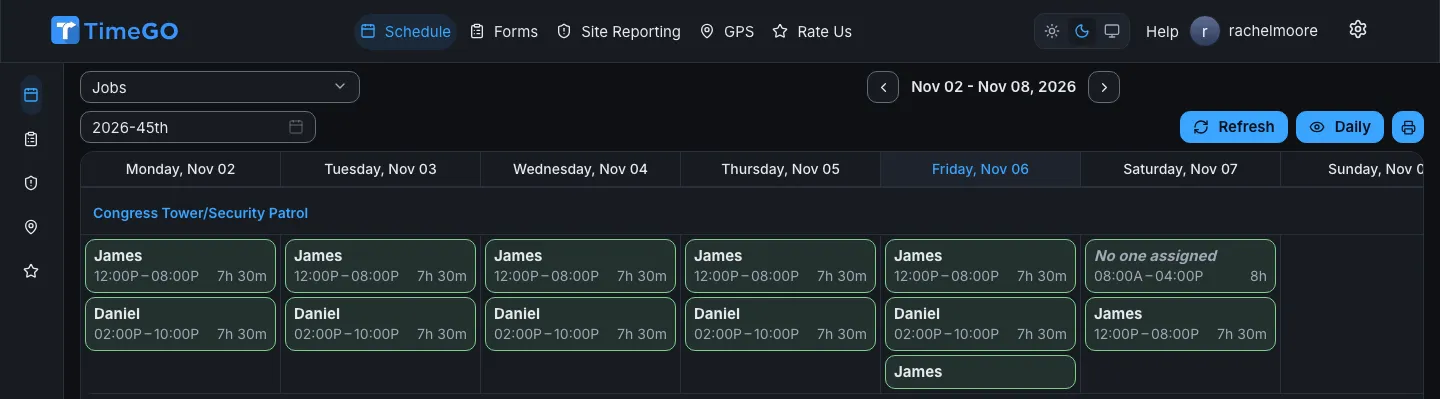 The client’s view: its own sites, its own shifts, nothing to edit.
On top of that, each of these can be switched on per client:
- Form results: the inspection forms or daily reports your crew fills in at the site, photos included.
- Checkpoint scans: every QR, NFC or virtual GPS scan with its time, so a patrol or a floor-by-floor clean shows when it happened.
- GPS tracking: the route recorded during the shift.
Some clients want only the schedule. A security client whose contract says “proof of tours” will want the scans. A property group with a picky board will want the inspection photos. You decide per client, and you can change your mind.
What the client never sees
A client login has no access to invoices, reports, to-dos, time-off requests or job expenses. Your rates, your margins, your internal lists and who asked for Friday off stay with you.
Setting it up
The client and its locations need to exist in the dashboard first. Then add a login for the client with the locations it may see. Leave the locations empty and it sees all of the client’s locations, so pick on purpose when one client has six sites and this person manages two. The full steps, including MFA, are in how to give a client access.
One thing trips people up. The login copies its permissions from the client record. If the client record does not allow form results, scans or GPS, the login will not show them, whatever you expected. And if every Allow switch on the client record is off, its logins are deactivated.
An example from cleaning
Say you clean three offices for one property group. Their facilities manager wants to know the night crew arrives and does the job. You create one login, pick the three offices, and allow form results. In the morning she opens the schedule, sees last night’s shift at each office, and reads the inspection form your crew lead filled in at 11:40 PM, with the photo of the lobby floor.
She sees what you see, when she chooses to look. The client access page shows how the forms, scans and routes your crews record end up in that view, and the commercial cleaning page shows the night shift that produces them.
Before you send the password
A client login only shows what your crews actually record. If the crew skips clock-in at one account or forgets the form twice a week, the client sees the gaps, sooner than you would like and in their own words. Get the habit solid with the crew for a few weeks first, read the records yourself, and only then hand the client the login.
If the result on the floor is what the client cares about, make photos part of the form and allow form results.
Common questions
Can a client change the schedule?
No. The schedule is read-only, limited to the locations you picked.
Why can’t my client see the scans I allowed?
The login copies its permissions from the client record. Check that the client record allows checkpoint scans, form results and GPS tracking.