 English
 Español
 Tiếng Việt
 Deutsch
 Français
 Português
 Polski
 Nederlands
 Italiano
 Svenska
 Norsk
 Dansk
 Suomi
 Čeština
 हिन्दी
 العربية
A GPS time clock app with a geofence around every site
Employees clock in, take breaks and clock out on their phones, with GPS and a geofence around each site. It works without signal, and you see on a map who is working.
What it does
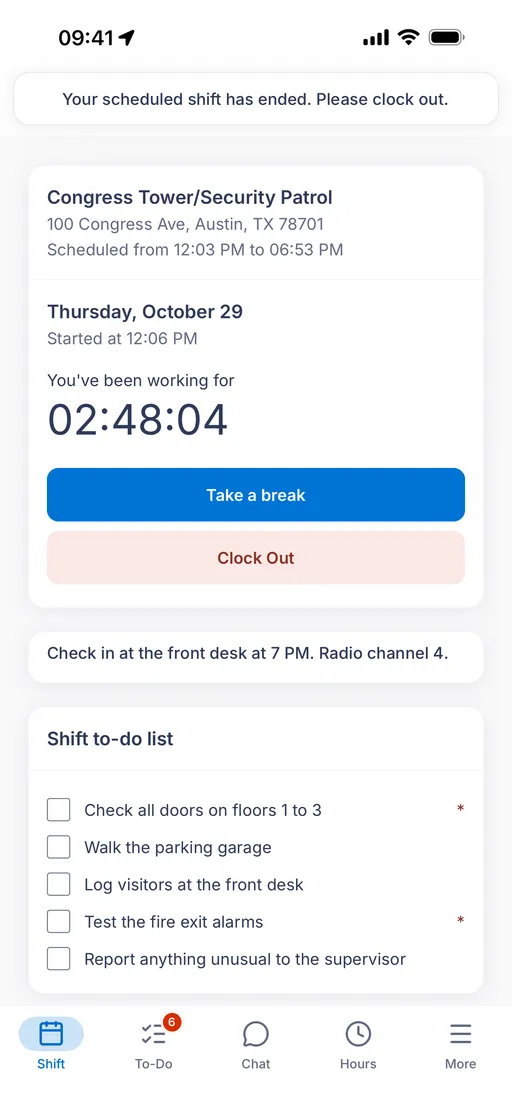
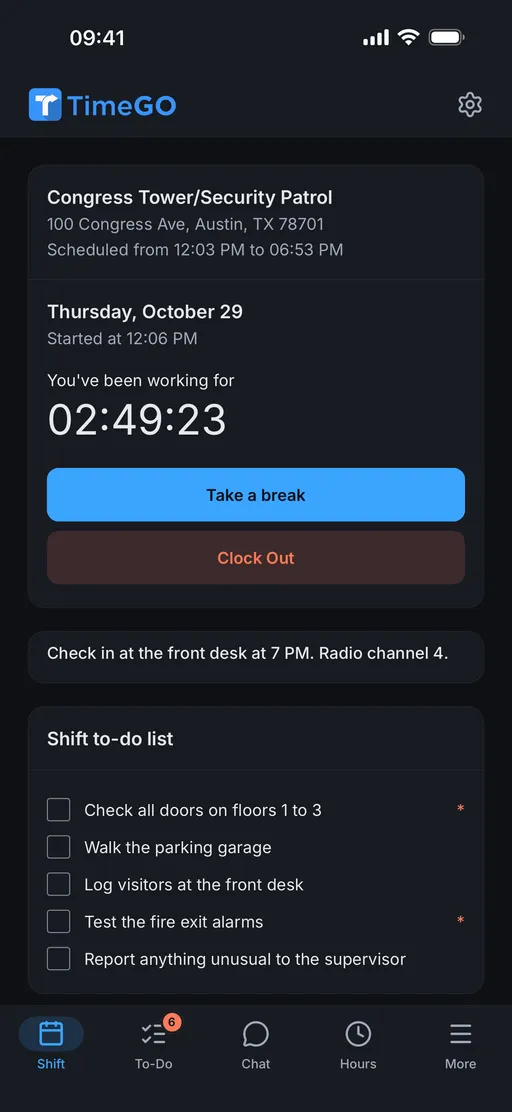
GPS clock-in is the time clock in the TimeGO app. Employees clock in, take breaks and clock out on their phones, at a restaurant, a clinic or a client site, with GPS and a geofence around each site. The web dashboard shows a map of job locations and who is working. The sections below cover the route recorded during a shift, working without signal, missed clock-in alerts and forgotten clock-outs.
How it works
Set the geofence
In the web dashboard, add each client site. Each site gets a geofence around it.
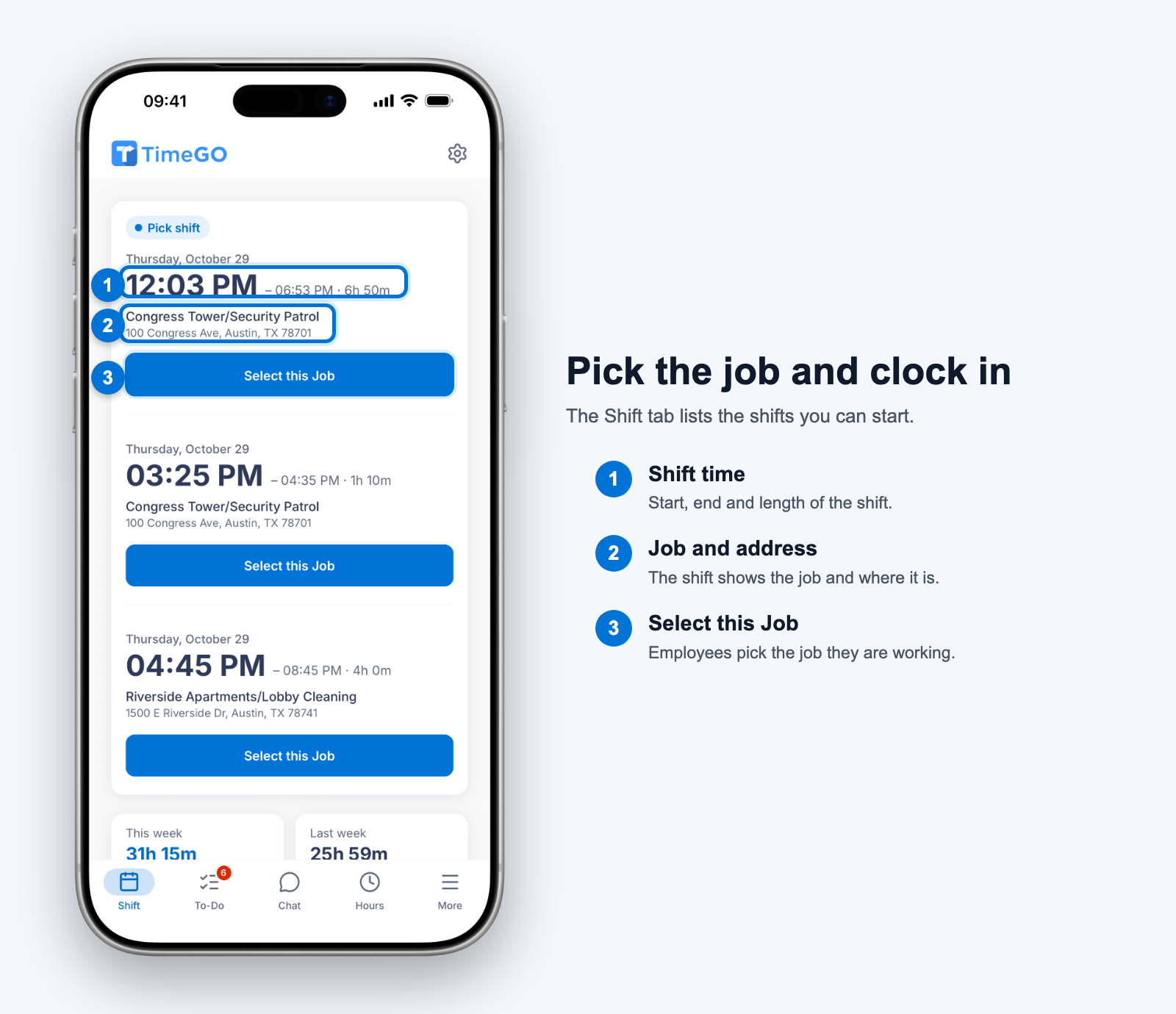
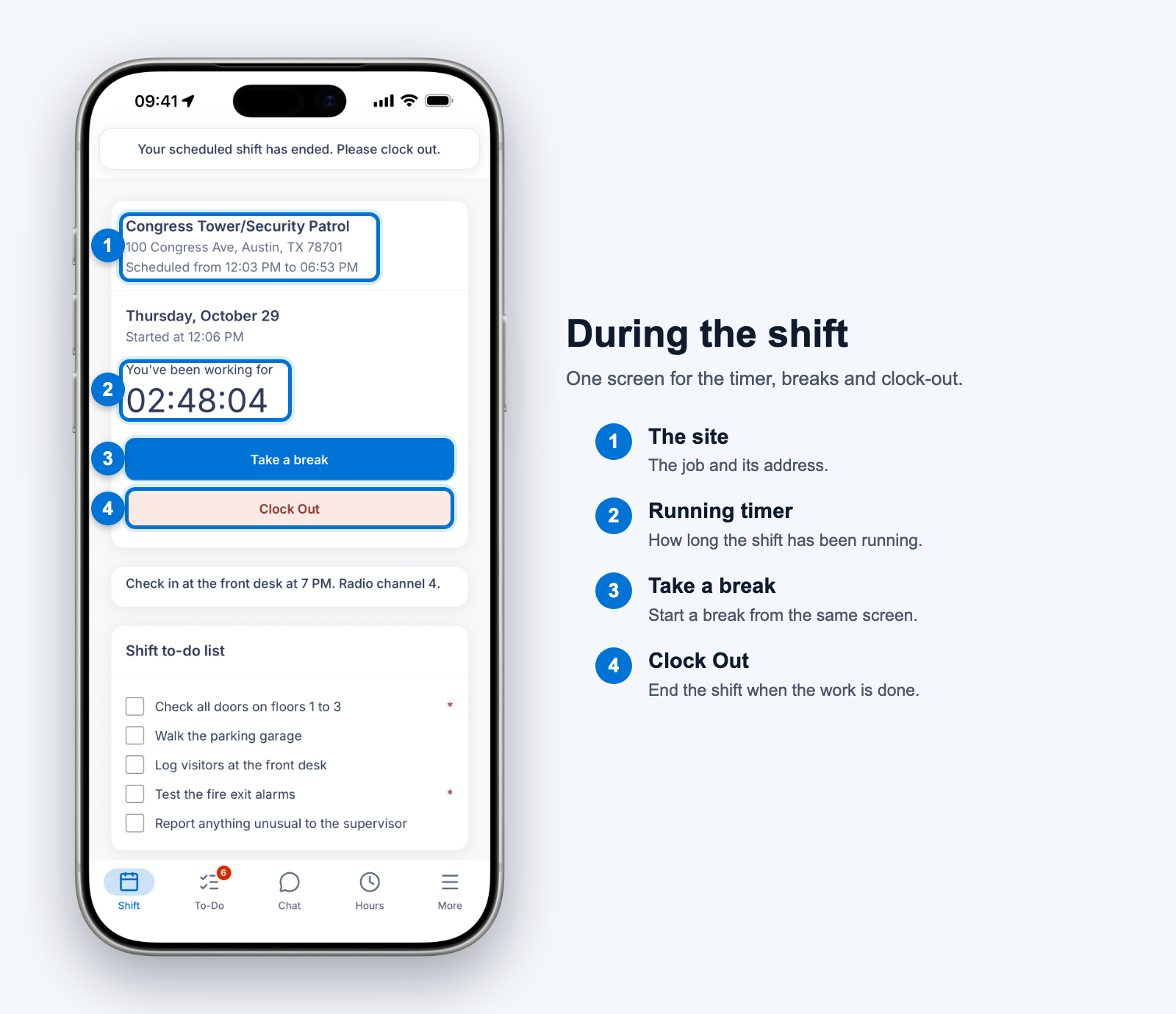
Clock in on the phone
Employees clock in, take breaks and clock out in the TimeGO app, with GPS, even without signal.
Watch the shift
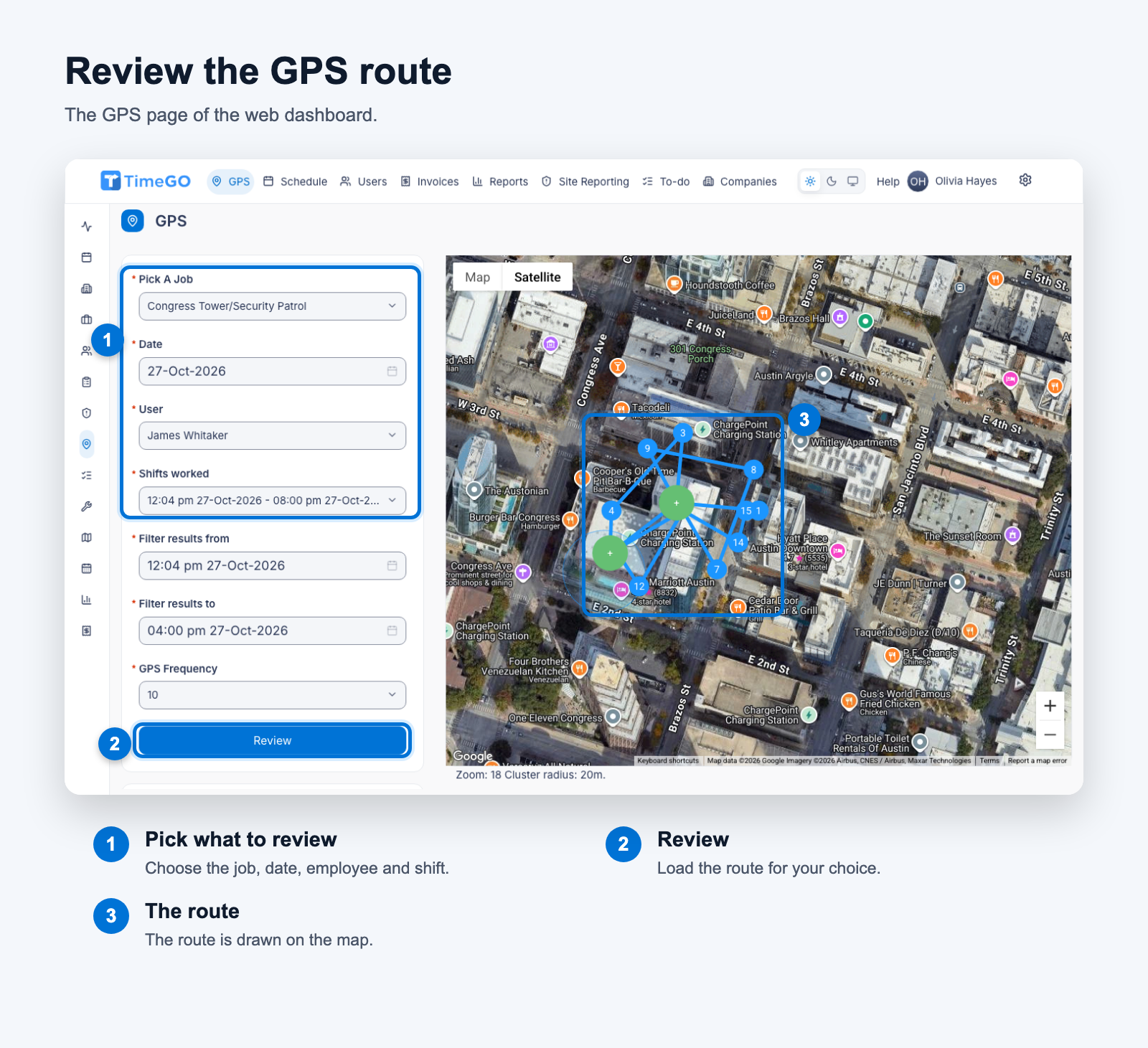
The dashboard map shows who is working. A missed clock-in raises an alert, and the GPS route is recorded.
Review the hours
Each shift lands in the timesheet, ready to check and export to Excel or QuickBooks Desktop.
See it in TimeGO
Ways to check in
GPS geofence
GPS and a geofence around each site.
Offline mode
Clock in and out, GPS and checkpoints work without signal and sync later.
Route tracking
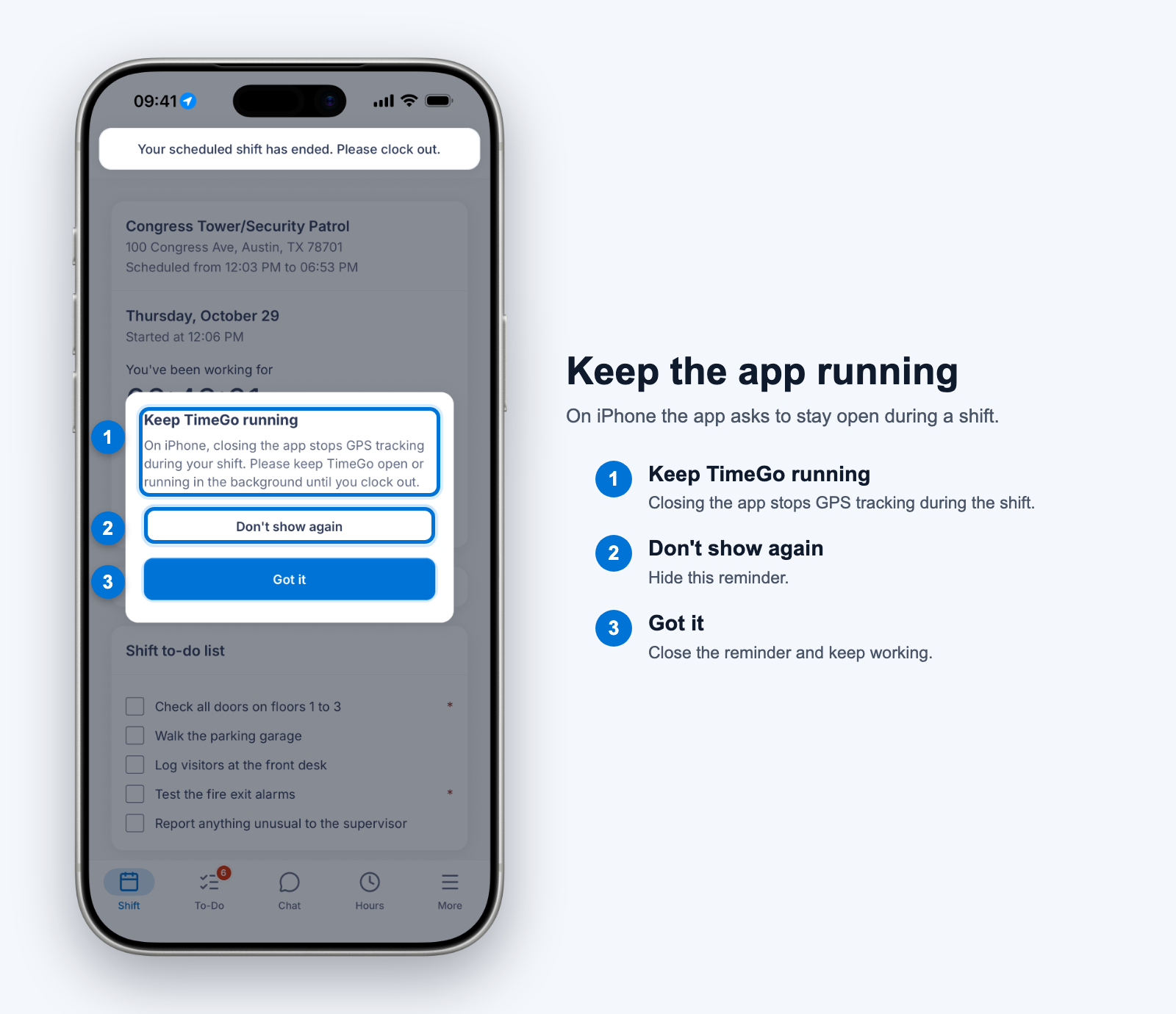
While an employee works a shift, TimeGO records a GPS route from the phone. In the web dashboard, open the GPS page, pick the job, the date, the employee and the shift, and review the route on a map, during the shift or after it. A client can get optional access to GPS tracking: see client access. On iPhone, the app shows a “Keep TimeGo running” message about GPS tracking.
Offline
A basement, a remote yard or a tunnel does not stop the clock-in. With no signal, employees still clock in and out, use GPS and scan checkpoints. The times and the scans are kept on the phone and sync to the dashboard when it has a connection again.
If nobody clocks in
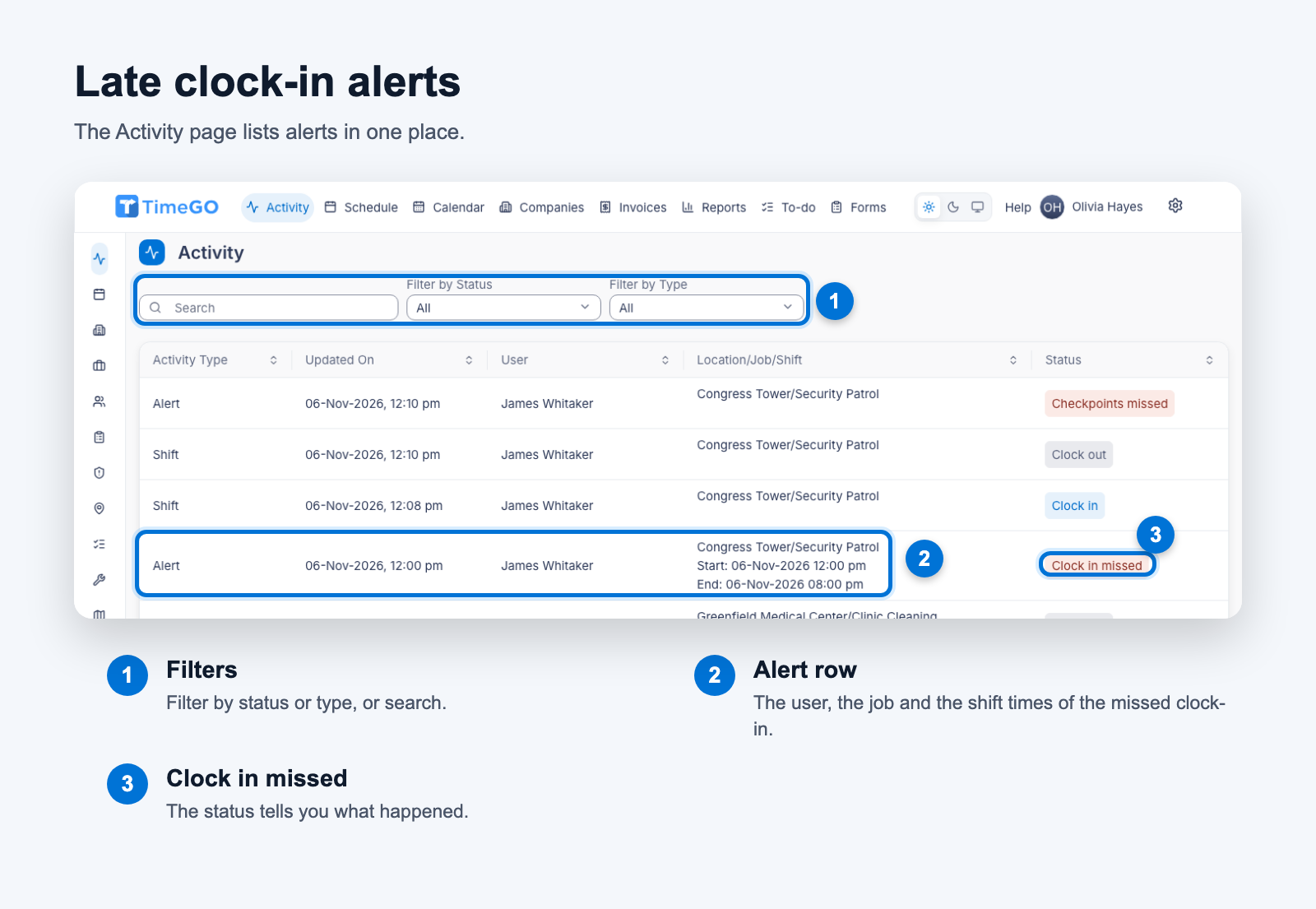
Missed clock-in alerts need a shift on the schedule. One minute after the shift starts, if the employee has not clocked in, the alert shows on the Activity page of the web dashboard and in the mobile app under More, then Alerts, for managers. Message the employee in chat or call them. Shifts where an employee started late by more minutes than you set are listed in the Tardy Report, under Reports.
Forgotten clock-outs
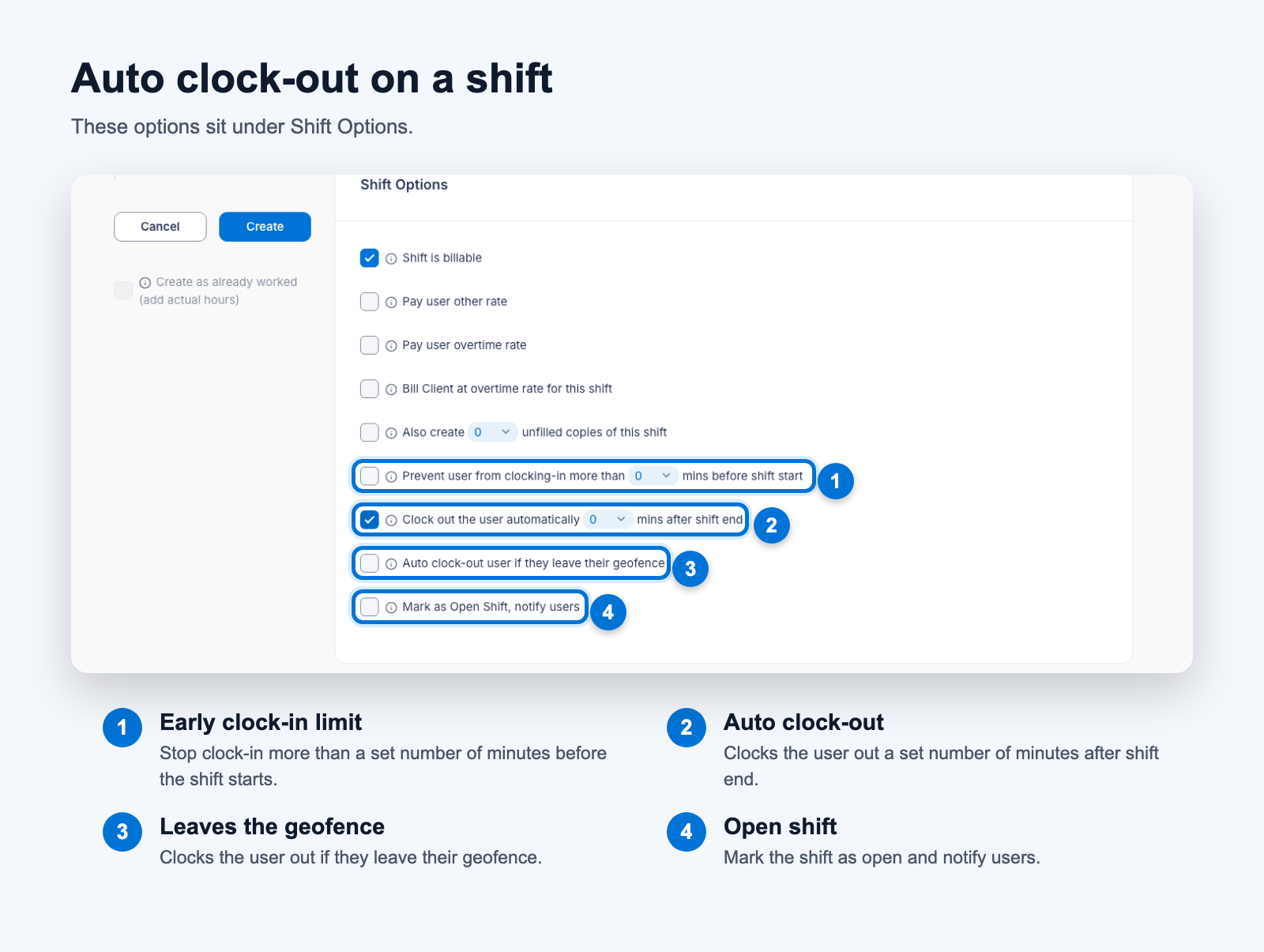
Turn on auto clock-out for a shift in Shift Options. The app shows the employee when they will be clocked out, and they can ask for 15 more minutes. Within 24 hours of the scheduled end they report the real finish time, and a manager approves, adjusts or declines it. Without auto clock-out, the server closes a forgotten shift 12 hours after the scheduled end. The help articles show each step: extend or confirm for the employee, and approve, adjust or decline for the manager.
Who it helps
Frequently asked questions
How does a GPS time clock with a geofence work?
Each job site has a geofence. Employees clock in, take breaks and clock out with the TimeGO app on their phones, and the app uses GPS. In the dashboard you see a map of job locations and who is working.
What happens when an employee is outside the geofence?
The Time Spent Outside Geofence Report, one of the reports in the web dashboard, lists the time employees spent outside a site's geofence.
How is route tracking different from GPS clock-in?
GPS clock-in marks the start and the end of the shift at a site with a geofence. Route tracking is the GPS route recorded in between, which you review on a map.
Can I see where my employees went during a shift?
Yes. TimeGO records the GPS route during the shift, and you review it on a map in the web dashboard, during or after the shift. A route that crosses several properties shows on the map.
Does clock-in work without signal?
Yes. Clock-in and clock-out, GPS and checkpoint scans work without signal. They are kept on the phone and sync when it is back online.
Can I get an alert when someone has not clocked in?
Yes. One minute after a scheduled shift starts, a missed clock-in alert appears on the Activity page of the web dashboard, and in the mobile app under More, then Alerts, for managers. Late starts are listed in the Tardy Report.
What if an employee forgets to clock out?
Turn on auto clock-out for the shift in Shift Options. The app shows the employee when they will be clocked out, and a manager approves, adjusts or declines the finish time they report. Without it, the server closes a forgotten shift 12 hours after the scheduled end.
Can my client see the GPS route?
Optionally. You can give a client access to GPS tracking, along with form results and checkpoint scans.
Where do the clocked hours go?
Each shift lands in the timesheet, ready for payroll.
Step-by-step guides
- How TimeGO is organized, and what to set up first
- How to add a job
- How to approve, adjust or decline an auto clock-out
- How to choose your phone notifications
- How to clock employees out automatically when their shift ends
- How to clock in and out with GPS
- How to extend or confirm an auto clock-out
- How to review an employee's GPS route
- How to see missed clock-in alerts and late starts
- How to see the check-ins an employee missed
- How to see time an employee spent outside the geofence
- How to see who is working right now on the map
- How to take a break during a shift