 English
 Español
 Tiếng Việt
 Deutsch
 Français
 Português
 Polski
 Nederlands
 Italiano
 Svenska
 Norsk
 Dansk
 Suomi
 Čeština
 हिन्दी
 العربية
Invoice your clients from the hours your crews tracked
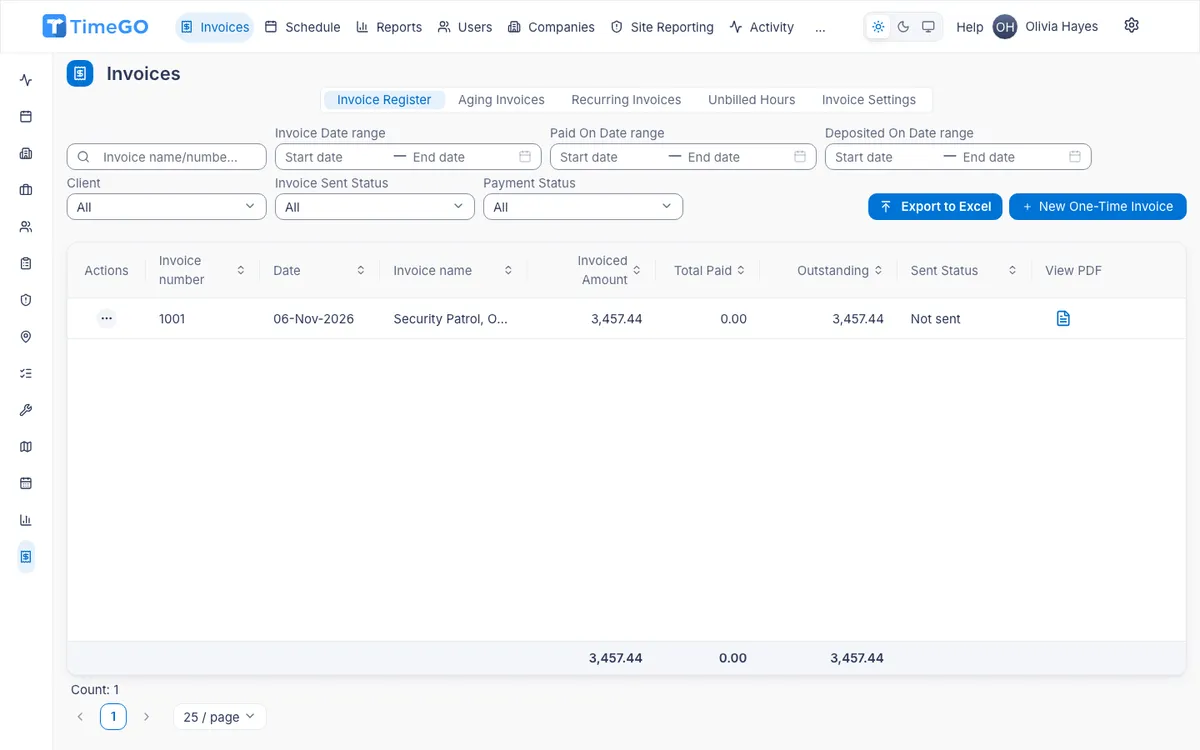
TimeGO builds an invoice from tracked hours and emails it to your client as a PDF.
What it does
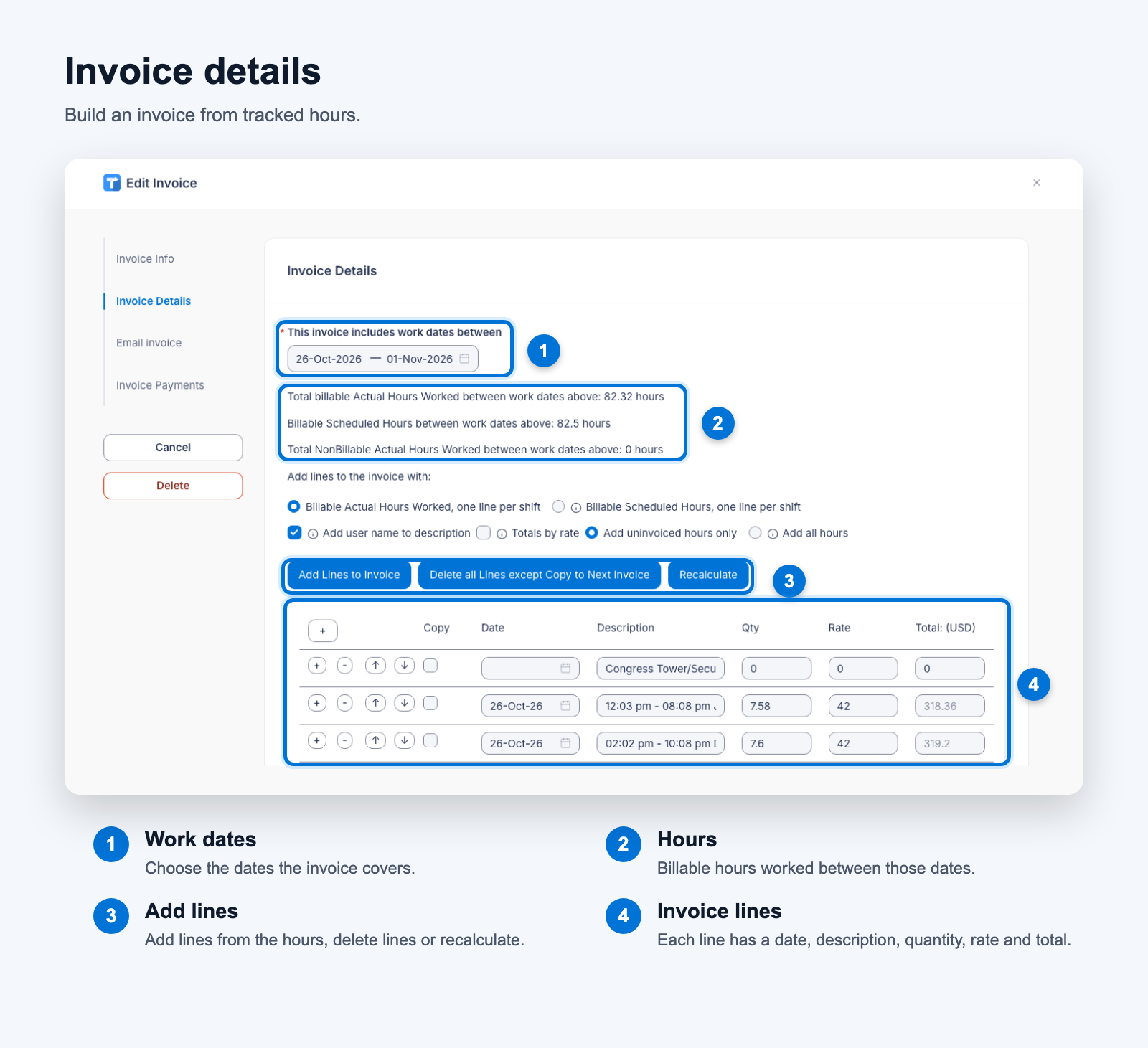
In the field, crews clock in at a client's sites with the TimeGO app. In the web dashboard, you build the invoice from those tracked hours and email it as PDF. The timesheet export has a Summary by Job sheet.
How it works
Set up the client
In the dashboard, add the client, its locations and its contacts.
Crews track the hours
In the app, employees clock in at the client's sites. Each shift is tracked.
Build the invoice
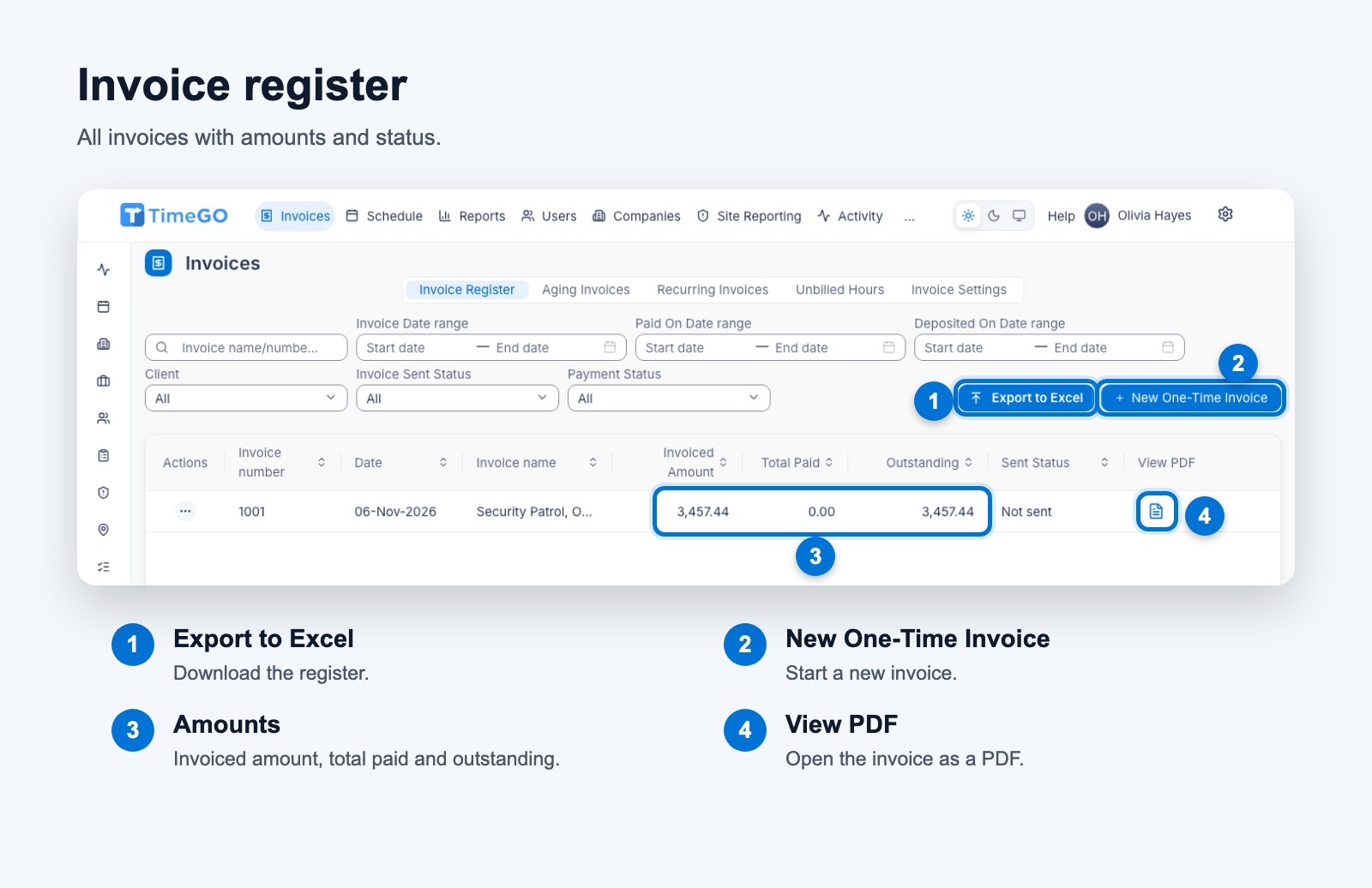
In the dashboard, create the invoice from the hours tracked for that client.
Email it as a PDF
Email the invoice to your client as a PDF.
See it in TimeGO
Who it helps
Frequently asked questions
Can I invoice a client from tracked hours?
Yes. TimeGO builds invoices from the hours your employees tracked and emails them as PDF.
Can I set up each client and its sites?
Yes. Add clients, locations and contacts in the web dashboard.
Can I send the same hours to payroll?
Yes. Payroll periods export from the same timesheets. The Timesheets and payroll page has the options.
Can I report on one job?
Yes. The Timesheet Report has a Jobs filter next to the users, the payroll schedule and the date range.