 English
 Español
 Tiếng Việt
 Deutsch
 Français
 Português
 Polski
 Nederlands
 Italiano
 Svenska
 Norsk
 Dansk
 Suomi
 Čeština
 हिन्दी
 العربية
A time clock app for employees, on iPhone and Android
Employees clock in, take breaks, work their to-do list, chat with managers and see their hours in one app. It is in English, Spanish and Vietnamese today, and 12 more languages are coming.
What it does
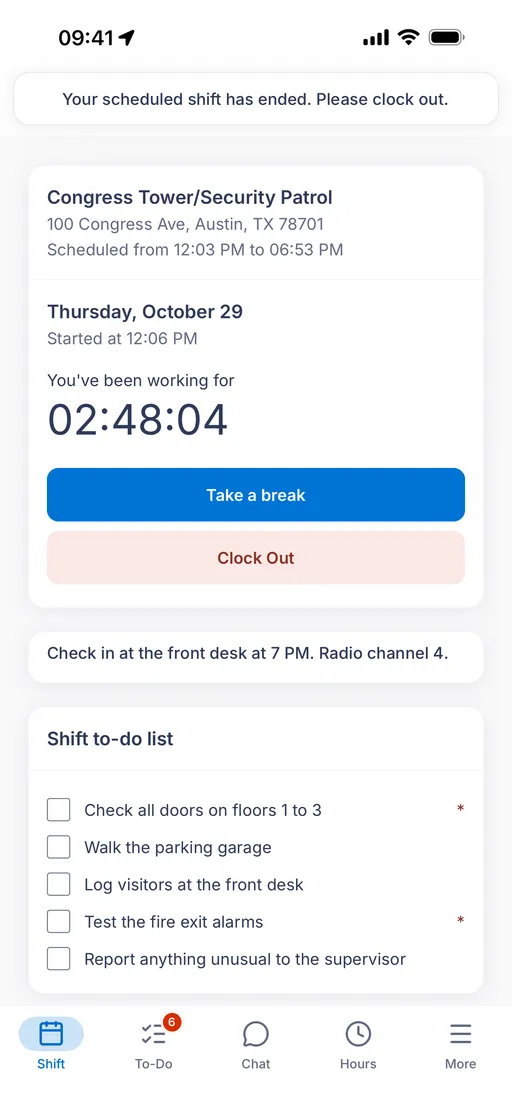
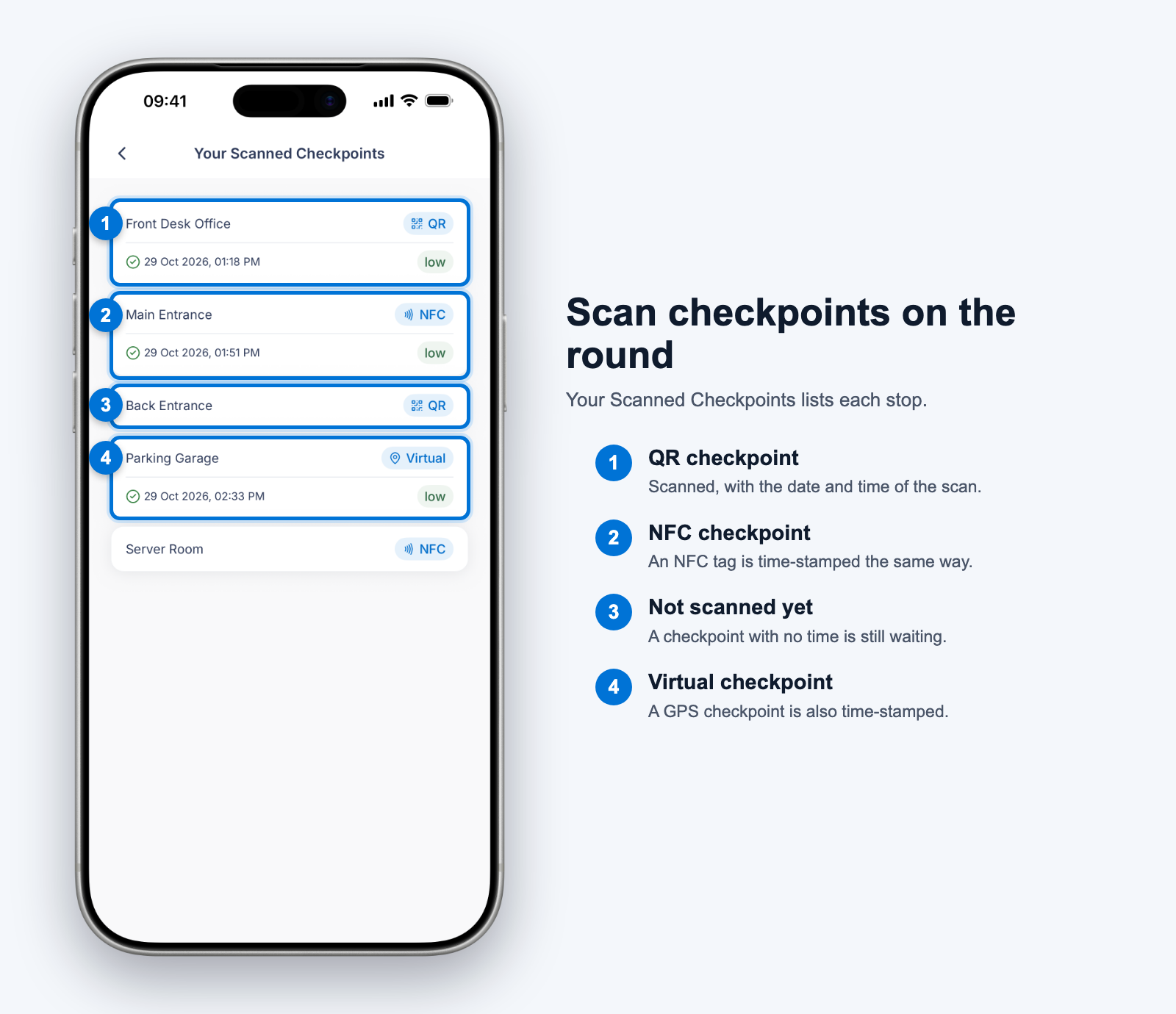
The TimeGO app is for employees and runs on iOS and Android, with Shift, To-Do, Chat and Hours tabs. Employees clock in and out with GPS, take breaks, check off tasks, scan checkpoints, message management and see their hours. Managers work in the web dashboard.
How it works
Employees install the app
They get TimeGO from the App Store or Google Play.
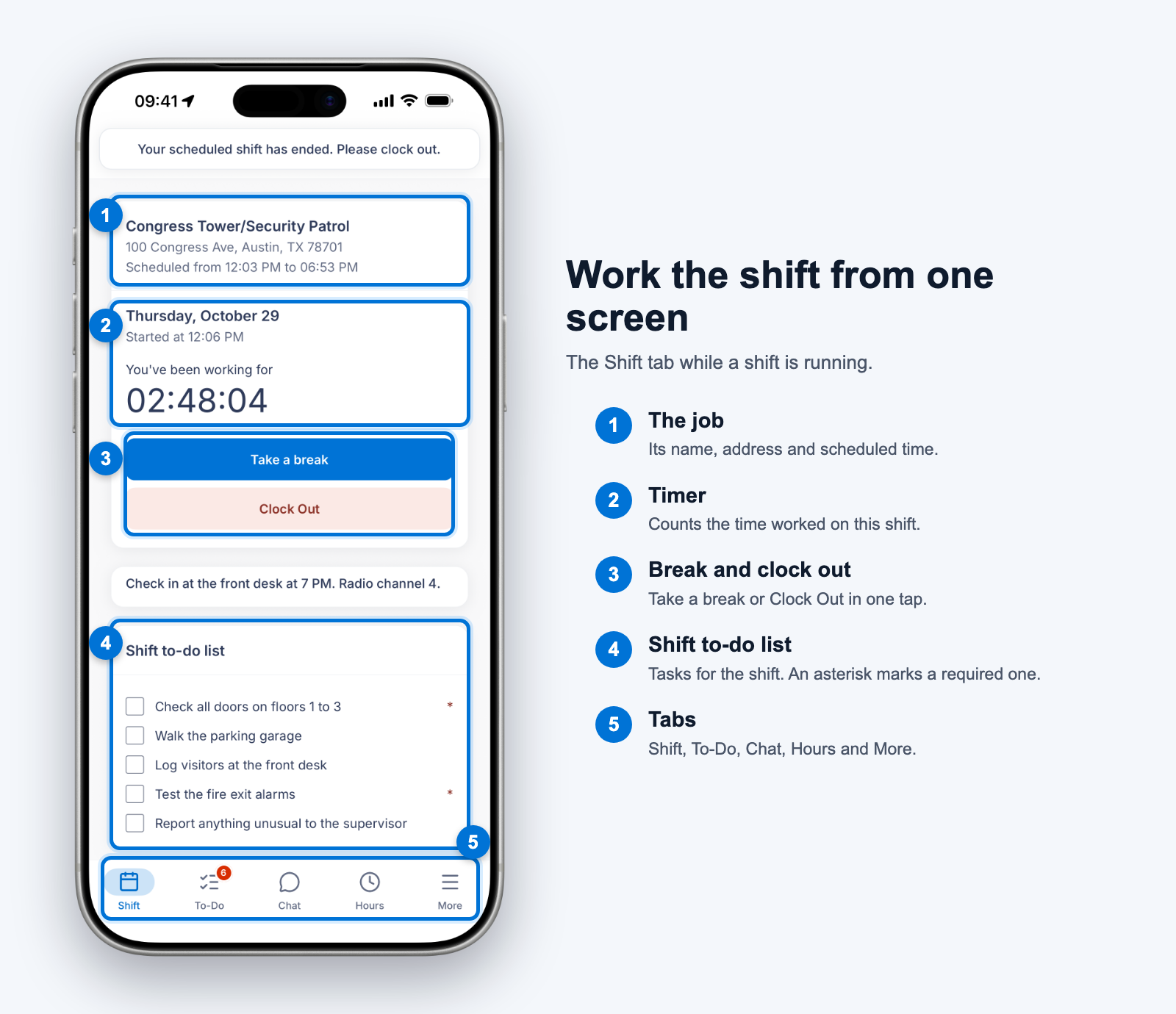
Work the shift from one screen
In the app, clock in, take a break, clock out, tick off tasks, scan checkpoints and chat with management.
Check the hours
The Hours tab shows the week's total and a row for each shift.
Managers see it in the dashboard
What employees do in the app shows up in the web dashboard, in the schedule, the map of who is working and the timesheets.
See it in TimeGO
Chat
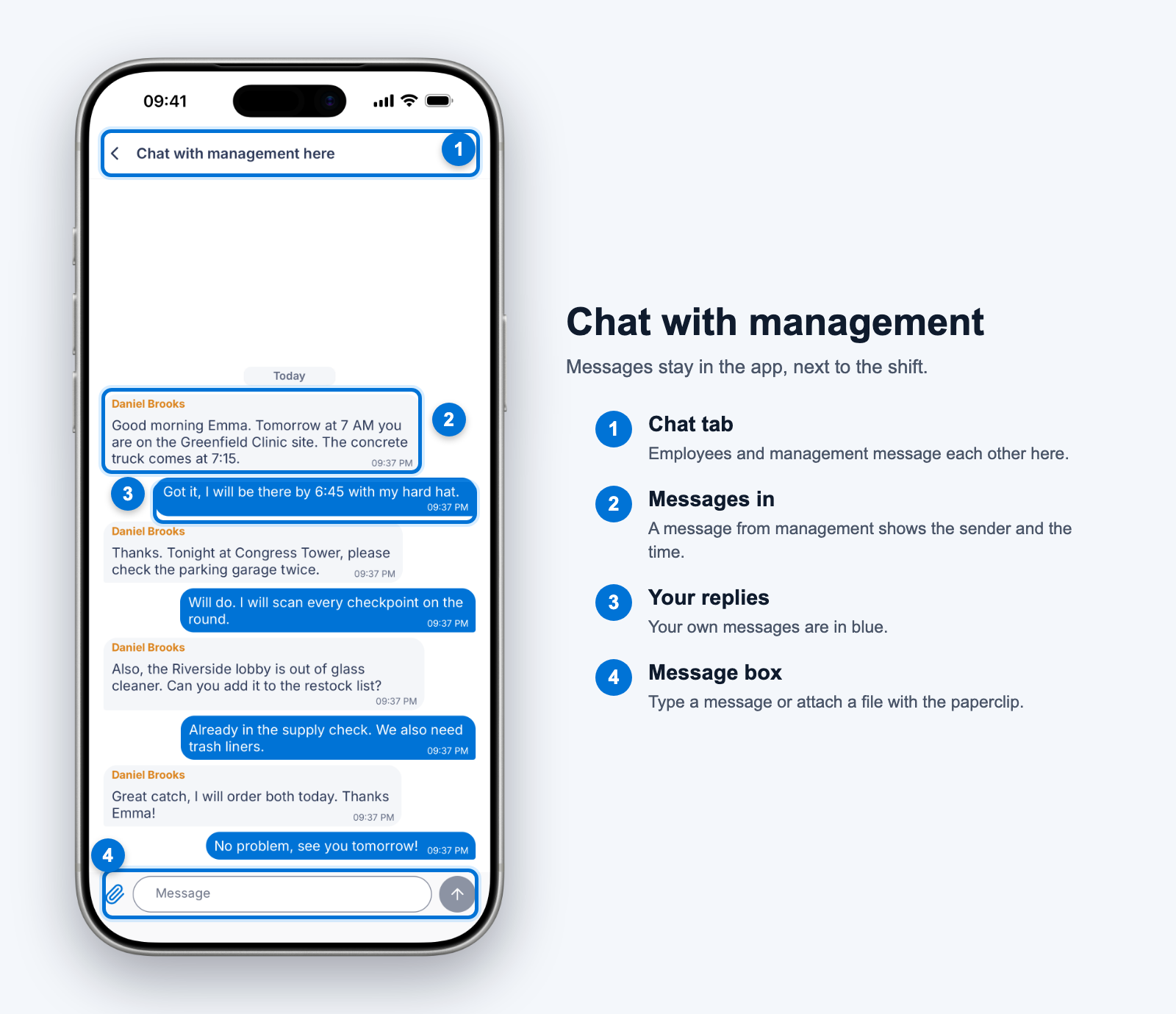
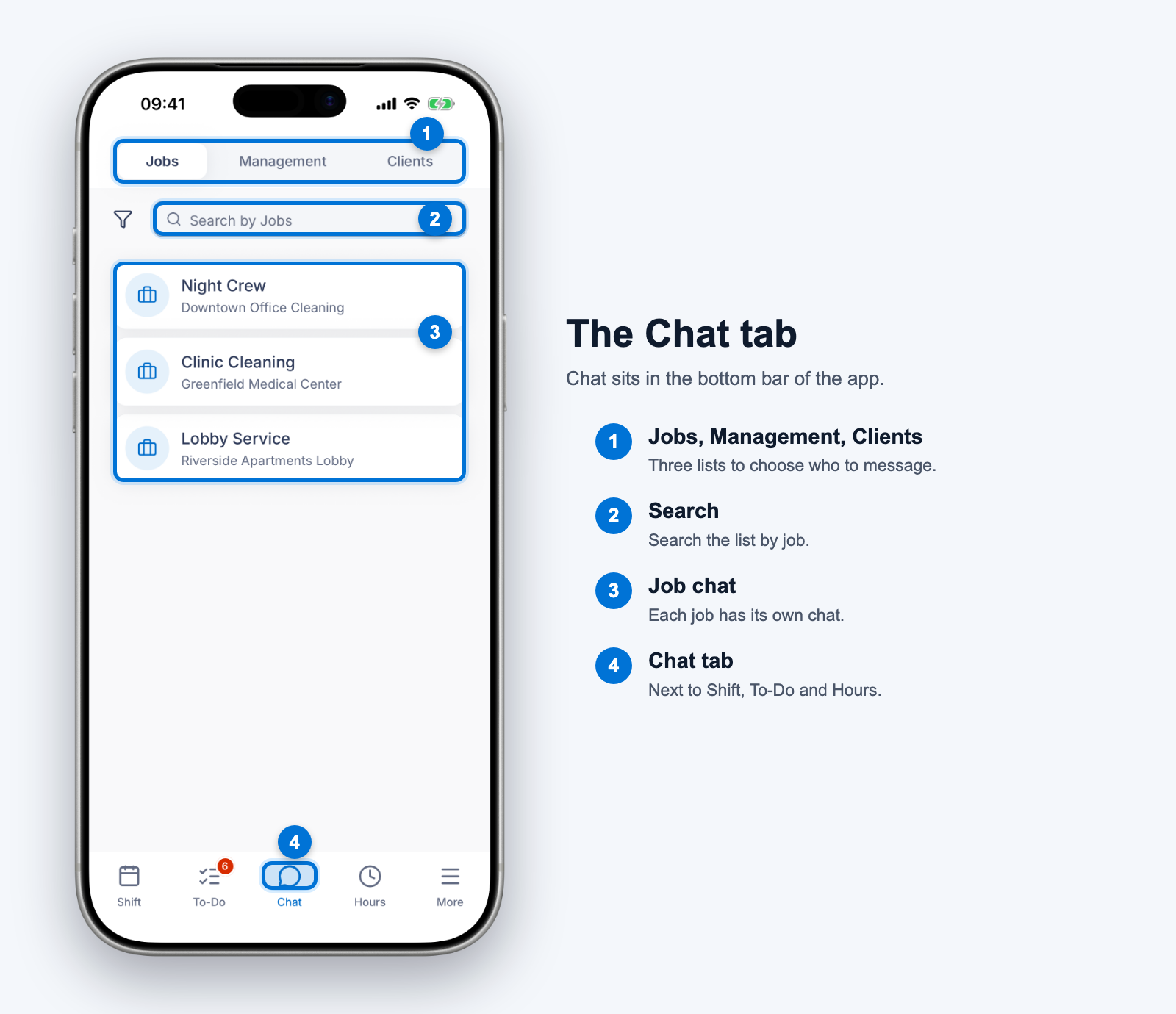
Chat is a tab in the app, next to Shift, To-Do and Hours. Employees message management from the job site and attach photos and files. Job chat is where the messages about one job go, and photos and files work there too. Use chat for quick messages. A task that has to be done on a shift belongs on a shift to-do list with required tasks.
Frequently asked questions
Is there a time clock app for iPhone and Android?
Yes. The TimeGO employee app is on the App Store for iOS and on Google Play for Android.
What can employees do in the app?
Clock in and out with GPS, take breaks, work shift to-do lists, scan checkpoints, chat with management and see their hours and schedule.
What do managers use?
Managers use the TimeGO web dashboard, where they see the schedule, the map of who is working, timesheets and reports.
Does the app work without signal?
Yes. Clock-in and clock-out, GPS and checkpoint scans work without signal and sync when the phone is back online.
Which languages does the app have?
English, Spanish and Vietnamese today. German, French, Italian, Portuguese, Polish, Dutch, Swedish, Norwegian, Danish, Finnish, Czech and Hindi come in the next app release.
Does the app have a dark theme?
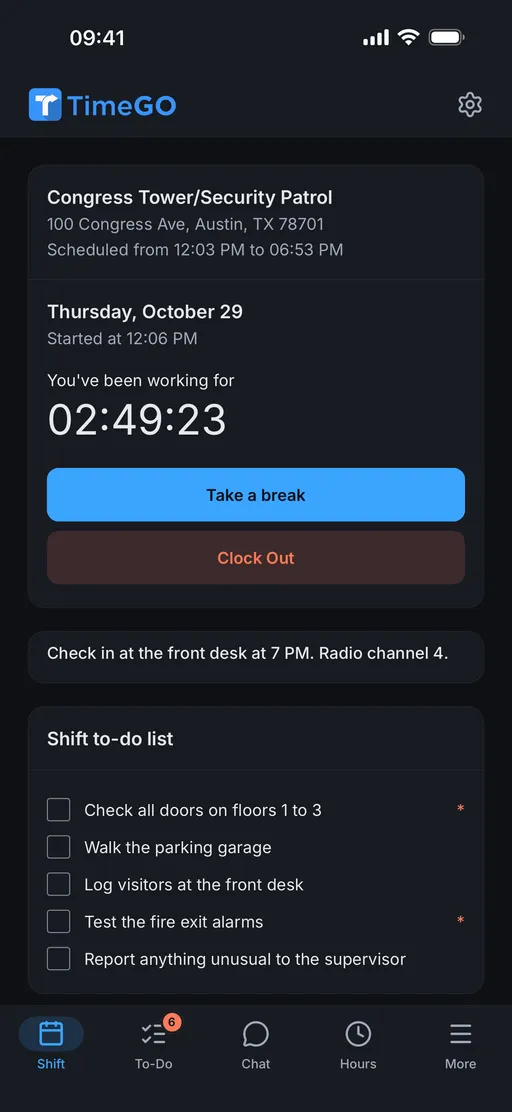
Yes. The app and the dashboard have a light and a dark theme.
Can employees send photos and files in chat?
Yes. TimeGO has mobile chat and job chat, with photos and files.
Where do I put instructions that must be done?
Use chat for quick messages. For tasks that have to be done on a shift, use a shift to-do list with required tasks.
Step-by-step guides
- How to choose your phone notifications
- How to clock in and out with GPS
- How to confirm or decline a shift
- How to create a to-do list
- How to edit a to-do list on the phone
- How to extend or confirm an auto clock-out
- How to fill in a custom form
- How to log in to the phone app
- How to message your team in chat
- How to request time off
- How to scan a checkpoint
- How to see your hours in the phone app
- How to take a break during a shift
- How to use a shift to-do list
- How to use your to-do lists