 English
 Español
 Tiếng Việt
 Deutsch
 Français
 Português
 Polski
 Nederlands
 Italiano
 Svenska
 Norsk
 Dansk
 Suomi
 Čeština
 हिन्दी
 العربية
To prove a guard patrolled, put a checkpoint at every stop on the round and have the officer scan it with the app. Each scan keeps its time. The next morning you open the scans next to the officer’s GPS route and you can say, stop by stop, when the round was walked.
The 9 AM call
The property manager calls at nine. The east stairwell door was propped open when the first tenant came in. Did your officer check it last night?
If all you have is a timesheet and a paper log, you have a clock-in at 10:58 PM, a clock-out at 7:02 AM and a page that says “all secure” in the same pen for every hour. Your officer may well have walked that stairwell four times. You cannot show it, and the client knows you cannot. On a night post the round is the job, and the round is the one part of the night that leaves no record.
A checkpoint scan at that door, with a time on it, settles the question either way. Sometimes it settles it against you. That is still better than an argument, because now you know which officer and which hour to talk about.
A checkpoint at every stop
TimeGO has three kinds of checkpoint, and one site can mix them:
- A QR code, printed and stuck at the stop. The officer scans it with the phone’s camera.
- An NFC tag, a small tag the officer holds the phone against.
- A virtual GPS checkpoint, a point on the map with a radius. Nothing is mounted. The app saves a scan when the officer walks into the radius and again after they leave it.
Which one goes where is its own decision, and we wrote it up separately in QR codes, NFC tags or GPS checkpoints. The short version: QR codes inside, NFC on doors and gates you want the officer to touch, virtual points in lots and yards where you cannot stick anything.
Where the stops go
Put checkpoints where the client’s risk is. Entrances, the loading dock, fire exits, roof access, the far end of the lot. Mount a code on the inside of a door: a code on the outside of the front door can be scanned from the sidewalk, while a code on the inside of the stairwell door means the officer went in.
Fewer stops that matter beat a long list nobody can finish in the time a round takes. Twelve stops on a 40-minute round invites rushing. Six that the client cares about will get walked.
Write the full round into the post orders, so the officer, the supervisor and the client agree on what a complete round is. When the client calls about the stairwell, you want “the stairwell is stop four” to already be on paper.
Setting it up
- Walk the site and list the stops on paper. Pick a type for each.
- Add each checkpoint to the job in the web dashboard, with a name the officer will recognize and the instructions you want them to read when they scan it. Print the QR codes as one PDF and mount them. The site tour help article has the steps.
- Have each officer scan every stop once with a supervisor, so nobody learns the round at 3 AM.
A checkpoint can ask for a photo before the scan is submitted, and each scan carries a severity (low, medium or high) that the officer picks. Checkpoints are on the Pro plan.
What you see the next morning
Every scan carries its time. Open the GPS page in the web dashboard, pick the job, the day and the officer, and press Review. You see the site’s checkpoints, a virtual one drawn with its radius, the scans, and the officer’s GPS route for the shift on the same map.
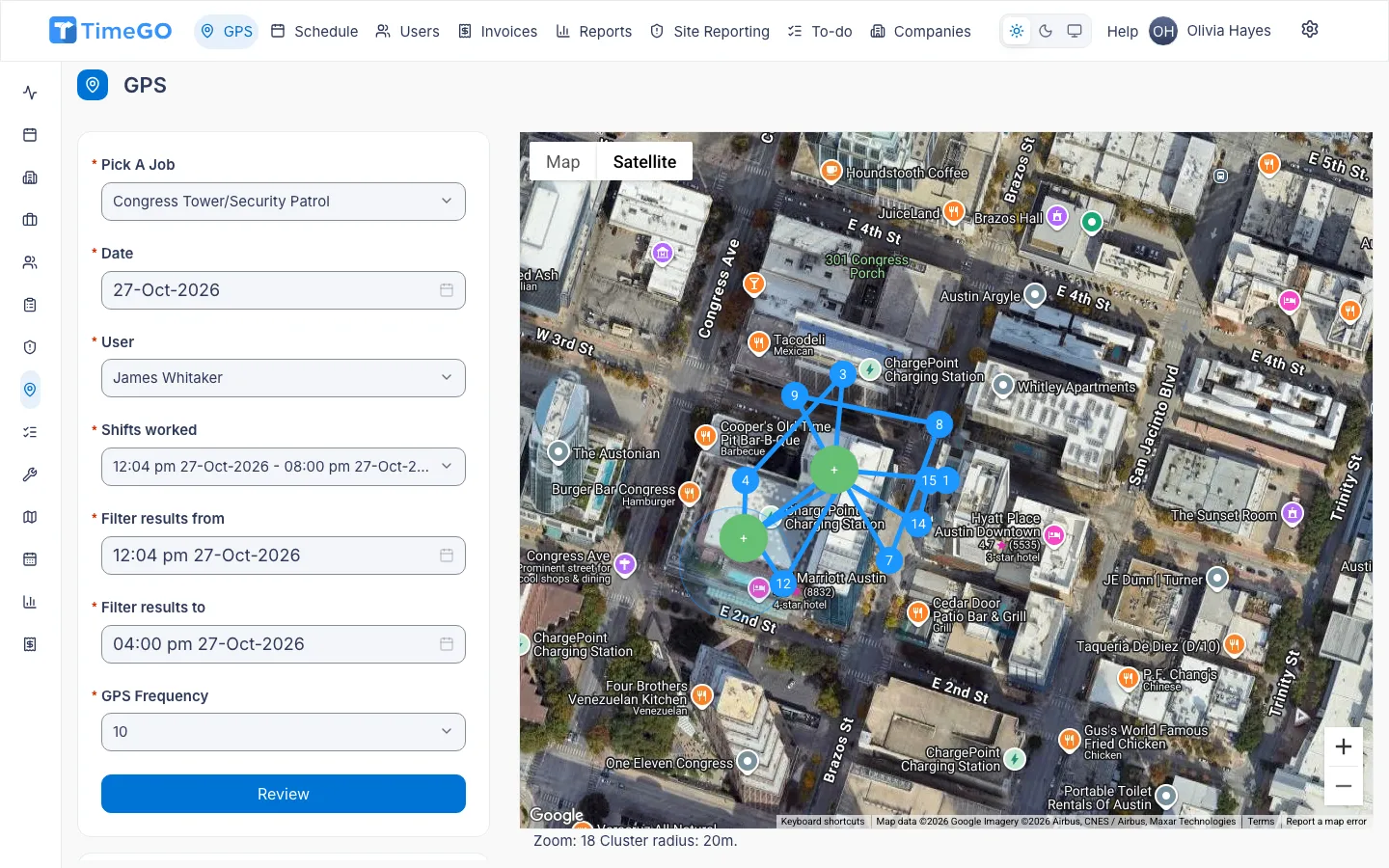
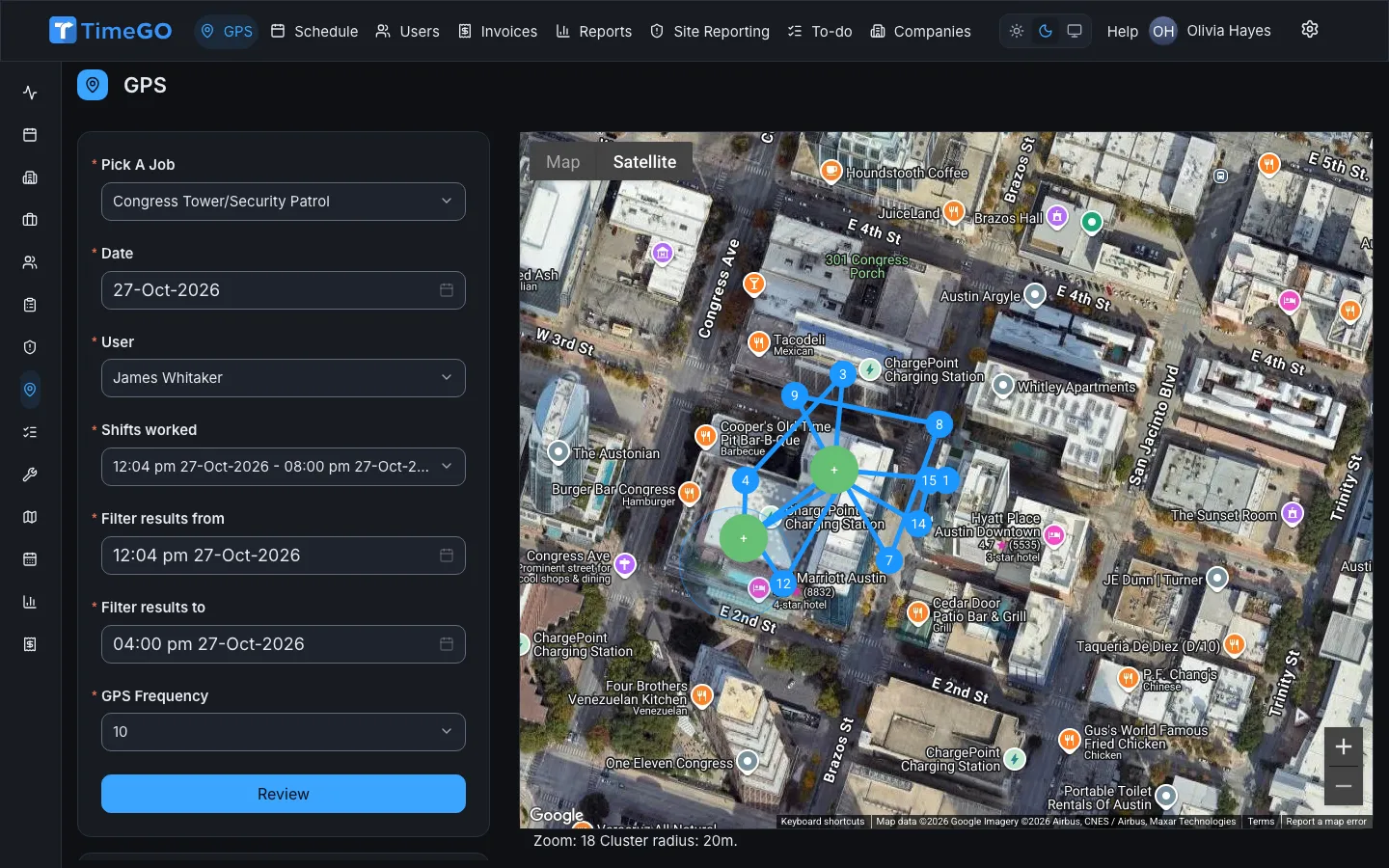 The route needs Continuous GPS Tracking turned on for the job. Tracking pauses during a break, so a gap mid-shift is a break, not a fault.
One detail makes the record easier to defend: a QR or NFC scan made away from the checkpoint’s spot on the map is still saved, but flagged “not in radius”.
The start of the shift is covered by the same app. The officer clocks in with GPS inside the geofence around the post, and a missed clock-in alert tells you if nobody has.
The round is one part of the job. Schedules for every post, daily reports and client invoices are on the page for security guard companies.
What a scan will not tell you
A scan proves that a phone was at the stop at that time. It does not prove the door was tried, the lights were checked or the right person was holding the phone. A sticker can be photographed and scanned from a picture; a tag can be peeled off and carried around.
So pair the scans with paperwork for what the officer saw: a shift to-do list for the tasks the post orders require, and a custom form for the daily activity report or an incident, with photos. And keep a supervisor walking the site now and then. The scans tell you which nights to ask about. They do not replace the asking.
Common questions
Does scanning work without signal?
Yes. Checkpoint scans are kept on the phone and sync later, with the time each scan was made.
Can my client see the scans?
Only if you allow it. A client login can be given access to checkpoint scans, form results and GPS tracking, each one separately.